
Boundary

Qualcomm Snapdragon • 2024

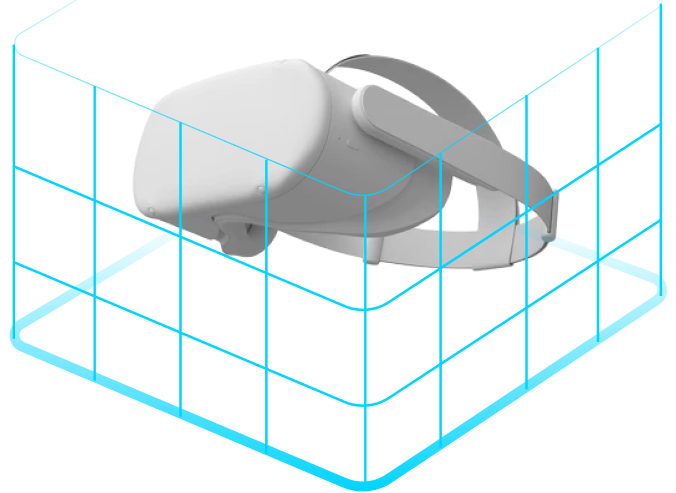
An immersive boundary that uses XR perception features to safeguard the user within their play area.

The Challenge: 
Create a compelling interface that encompasses the needs for first time and seasoned XR users alike. How might we develop an industry-standard solution from the ground up with limited resources and capabilities?

My Role
Lead UI/UX Designer
TimelineApr - Sep 2024
Team
1x UX Designers
4x Engineers
2x Project Managers
ToolsFigma
Unity
ContributionsCompetitive Analysis
Objective Gathering
Interaction Design
Visual Design
Immersive Prototyping
Prototype Testing
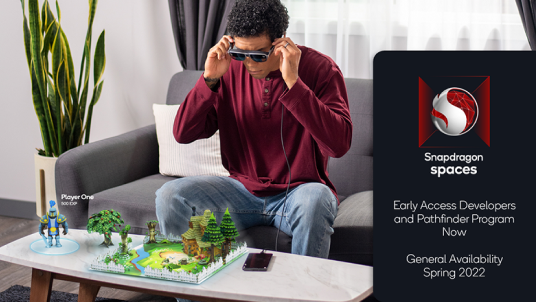
The ClientQualcomm's Snapdragon Spaces allows for the creation of immersive experiences that merge physical and digital realities.

One such requirement of their platform is the Boundary system, a way for the system to ensure the safety of the user when in an immersive experience.
Project Goals
What does success look like?When I joined, the boundary system was in its infancy—unstable, crash-prone, and built on outdated hardware. I was brought in to shape its look and feel, transforming it from a developer tool into a polished, user-friendly experience. The existing panels were purely functional, requiring a full redesign for clarity and usability. To tackle this, I established evolving requirements, crafted a user flow that met broad consumer expectations, and developed a visual style that seamlessly integrated with the "Spaces Launcher" scene.
User research and requirementsWhat key features do our users require?Upon reviewing predetermined personas, our team determined the following features for a broad user base: auto-floor adjustment, automatic boundary, and settings menu.
Auto-Floor AdjustmentThe system should be able to identify the height of the user's floor without the user having to lift a finger. However, user should also be able to adjust the floor themselves if needed.
Automatic Boundary SettingWhen a user steps into the experience, the user should ideally do very little. The golden path would be for the boundary to draw itself.
Settings MenuUsers should be able to adjust their boundary's settings, redraw, and reset floor level. This should be easy to access from their menu system.
Task analysis
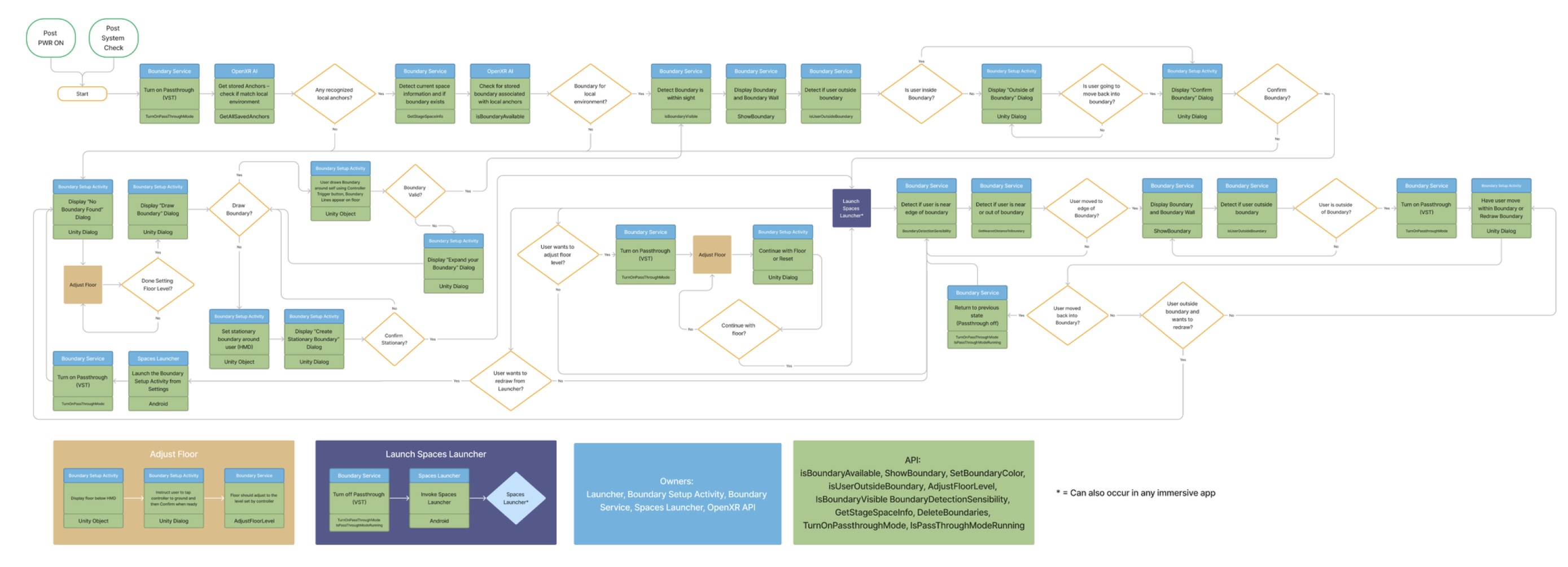
How will it work?With the aid of project management and developers, I was able to construct the following task flow. This flow orchestrates not only the experience of creating a boundary, but also what happens when a user:
  • breaches their boundary
  • desires to create a new boundary
  • creates a boundary that is too small
  • wants to readjust their floor height level
Design and prototyping
What does it look like?Our team focused on refining these compelling aspects of our solution: intuitive panels, smooth drawing experience, and seamless mode switching.
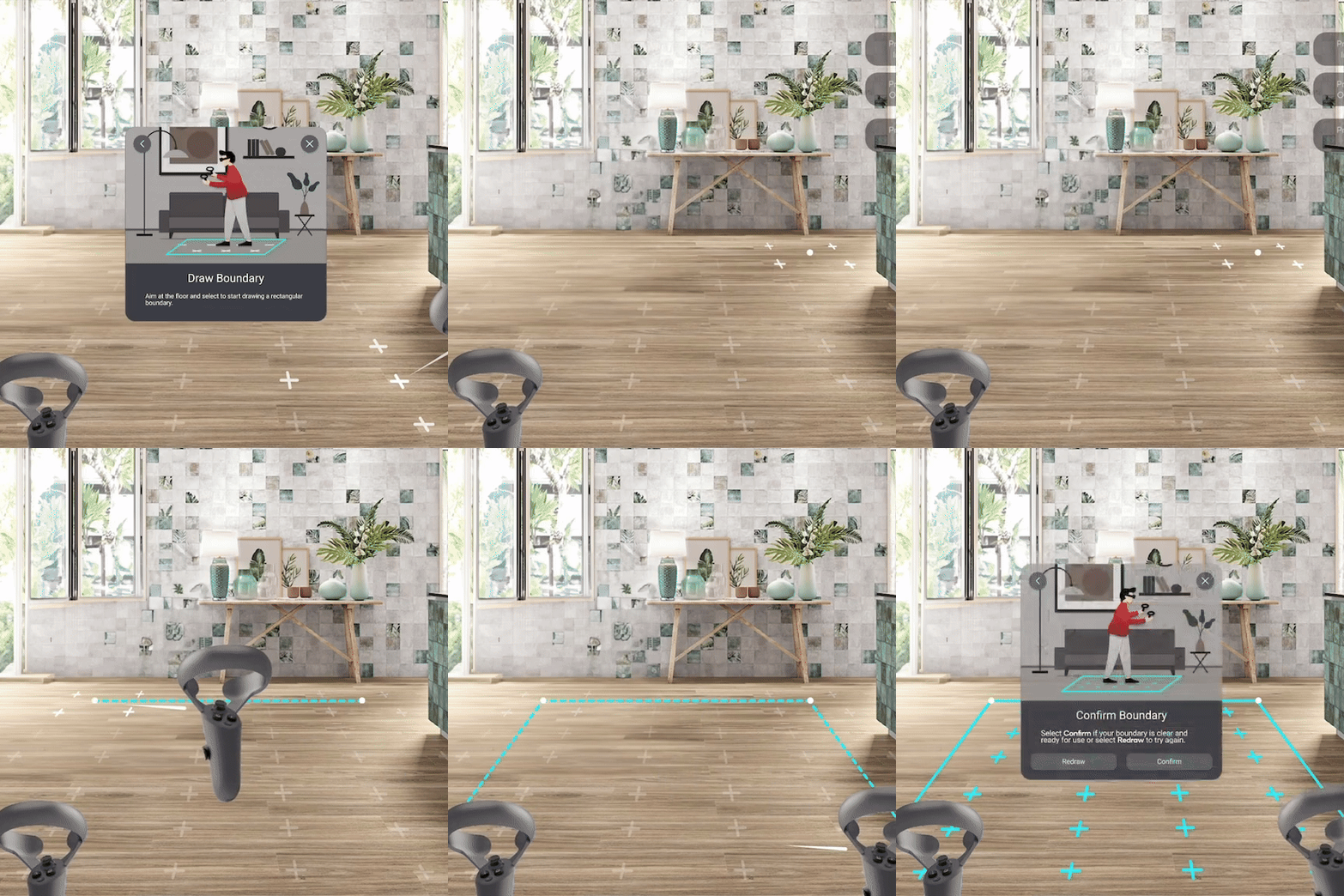
Intuitive PanelsI designed interactive panels to guide users seamlessly through the setup process. These panels not only enhance the visual experience but also provide clear, readable directions for drawing boundaries. Subtle graphic animations help users navigate their environment, while the panels dynamically adjust to their movements, ensuring they remain within view at all times.
Smooth DrawingI aimed for a smooth, intuitive drawing process that made sense within the system's limitations. Since only corner selection was possible,

I refined the approach as a midpoint between true free drawing. Thoughtful use of color and indicators ensures users can confidently and accurately define their boundaries.
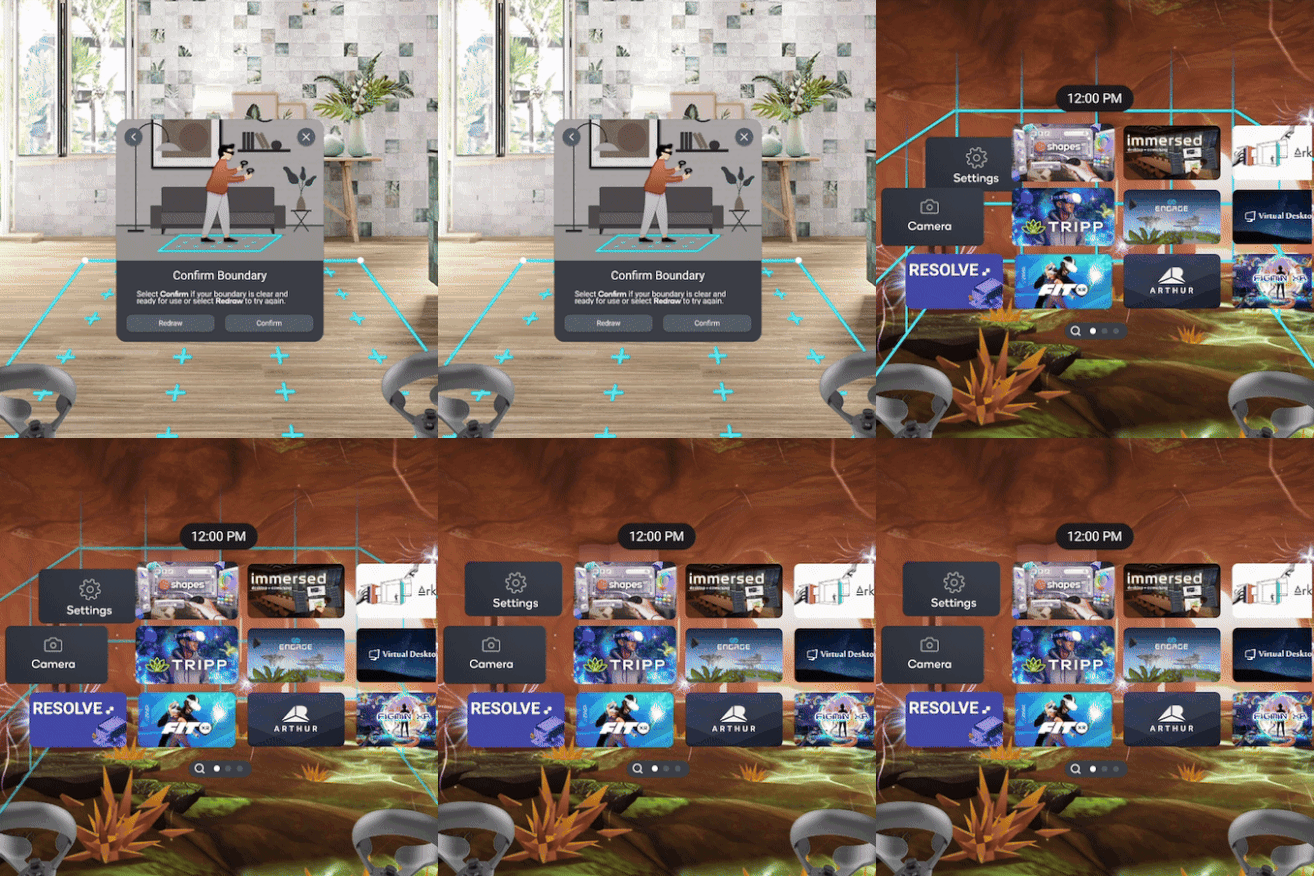
Seamless Mode SwitchingThe boundary system seamlessly transitions users into passthrough mode, allowing them to view their environment through outward-facing cameras.

I focused on making this experience feel cohesive and fluid, ensuring a frictionless interaction that enhances usability.
A successful redesignWhat did the final product look like?The team was highly satisfied with the outcome of the boundary project. Despite a tight timeline, we successfully refined the design and functionality, transforming it into a polished, user-friendly experience. The working prototype was built and demoed internally to positive reception, showcasing the seamless integration of interactive panels and passthrough mode.

Following evaluations, minor refinements could further enhance the experience. Certain features, like a more dynamic boundary adjustment system and object detection, could be explored in future iterations. Additionally, UI elements could be further streamlined for clarity and ease of use. The final prototype is linked below—I'd love to hear your feedback!